Best Streaming Service in the USA, Canada & UK, Enjoy 4K quality on any device, anywhere, anytime. Get 50,000+ channels, 100,000+ movies & series, with 100% uptime and no buffering.



















Choose the subscription plan that is right for you.
Get your login credentials via your email address.
Enjoy watching over 50000+ Live TV Channels & 10000+ Movies and TV Shows.













































































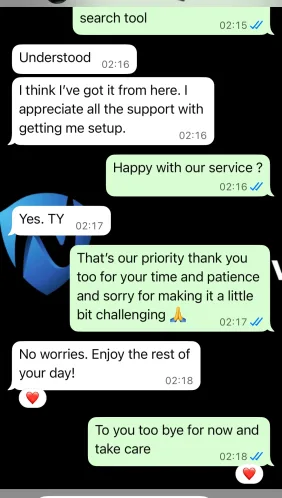
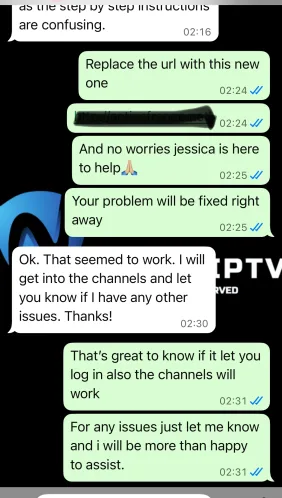
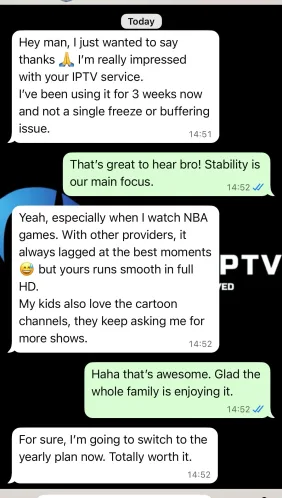
Your peace of mind, guaranteed. If you're not satisfied, we'll refund you
After placing the order, your links and credentials will be sent to your email inbox
At our place, we want to make sure we cover all your favorite devices
Once you place your order, and the payment is confirmed, Just let our team complete your order, that may take 5 min to 8h max. We will reply to your email and WhatsApp if you are using it as soon as possible after verifying your payment.
If you placed your order, and you didn’t get the email that contain the login details in 8 hours maximum, we kindly ask you to check your spam/junk folder, if you still cannot find it, contact us via :
Phone: +44 736-585-0113 (SMS-Calls-Whatsapp)
Email : contact@nexipgroup.org
Up to 4 devices, BUT it depends on your order, when you select the duration you want, you must select the number of devices you need.
No, we do not provide adult channels.
No, we do not recommend using it unless you know what you are doing as it may ban your account permanently if used wrongly.
You are only allowed to use it if it was advised by the customer service.
Yes, we do offer refunds under certain conditions, Check our refund policy page
If your paypal account is active, but the payment has failed, it may be a timeout caused by network problems. Please refresh the page and try again, usually it will succeed.
If you still have the same problem, we kindly ask you to click on the whatsapp button in the lower right corner to contact customer service or Send us your request by email mentioning that you need to order, we will send you a direct invoice via email.
There are many reasons for a debit/credit card transaction failure, If you encounter a payment failure, please try the following methods :
1. Double check the card number, validity date and the VCC, then try again.
2. Try another card.
3. Recommend to use paypal, the success rate of paypal is very high.
4. If you don’t have paypal, you can pay with your card, choose paypal as payment method in the checkout page, then click on debit/credit card and enter the information required.
5. Please click on the Whatsapp button in the lower Right corner to contact customer service, we will send you a direct invoice via email.
No physical installation is required. After Subscribing, just follow easy setup instructions sent on email.
Configuration Instructions are automatically sent on email with the login details.
No. When you buy your IPTV subscription from us, you are free to use the service for the duration purchased.
If you decide not to renew your subscription or not use our service anymore you are free to do so.
99% Uptime Guarantee on the service. The service is availble 24/7/365. If you have an issue contact us and it should be responded within shortest period usually within an hour or less during the working hours.
There are no Perfomance issues. Our IPTV Services works worldwide so long as you have an internet connection. If you experience any issue please contact us and we should respond within an hour or less during the working hours.
We only store the data you provide while making your order. They include:
Your Name to create your subscription with us .
Your Email Address to send you the login details.
Your Phone Number to contact you via Whatsapp if we couldn’t reach you via email for any reason.
We do not store any payment details at all.
3. Install IPTV Smarters Pro:
-M3U Playlist URL: Select “Load Playlist”, enter your M3U playlist URL, provide a name, and click “Add User”.
-Xtream Codes API: Select “Xtream Codes API”, input your credentials, and click “Add User”.
-Use a VPN: For enhanced privacy and to bypass ISP blocks, use a reliable VPN service like ExpressVPN.
-Move App to Home Screen: For quick access, move the IPTV Smarters Pro icon to your Firestick’s home screen.
-Create Favorites List: Add frequently watched channels to your favorites for easy access.
-Check Internet Speeds: Ensure your internet speed is adequate for streaming to avoid buffering issues.
By following these steps, you should be able to install and set up IPTV Smarters Pro on your Amazon Firestick without any issues.
To install TiviMate on your Amazon Firestick, follow these detailed steps:
Here’s a step-by-step guide to installing IBO Player on your Amazon Firestick:
Install the Downloader App:
Enable Apps from Unknown Sources:
Download IBO Player:
https://ibodesk.com/media.apk and click “Go”.Set Up IBO Player:
Add Playlist:
This should get your IBO Player up and running on your Firestick. If you encounter any issues, make sure to check your internet connection and that you have entered the correct details during activation.
To set up IPTV on your Roku device, follow these updated steps:
Download IPTV Smarters:
Install IPTV Smarters on Roku:
These steps should help you get IPTV running smoothly on your Roku device. If you encounter any issues, feel free to reach out for further assistance
To install IBO Player on your Roku TV device, follow these steps:
Add IBO Player Pro Channel:
Activate IBO Player:
Link Your Device:
Add Your IPTV Playlist:
Activate and Enjoy:
Note: The app has a 7-day trial period. After it expires, you will need to log in to IBO Pro App, enter your Device ID and Key, and pay the one-time fee for continued use
To install IPTV on your Samsung or LG Smart TV, there are several reliable apps and methods available. Here are some recommended apps and step-by-step installation guides for each:
Samsung Smart TV:
LG Smart TV:
These apps are highly recommended for their ease of use and robust features such as EPG support, playlist management, and multi-format compatibility. For any additional help, you can refer to their respective websites or customer support sections.
Use our offcial website, all you need is to enter the user and the password that were provided to you : http://web.ip365.cx/ (Recomended)
OR
1- Download VLC ( Download URL https://www.videolan.org/vlc/index.html)
2 – Open VLC Player
3- Go to Media -> Open Network stream.
4- Add your Subscription M3U URL we sent to you and press play.
5- Wait till all the Channels load (this may take some time)
6- In case you are facing any issues with M3U loading, please contact our support team on WhatsApp and they will help you set your subscription.
Please install one of the recommended IOS apps below:
IPTV Smarters Pro (select Xtream codes API )
Click on Xtream code API (XC API)
Enter your infos : Name, Login, Password and URL.
ADD user.
Alternative apps :
GSE IPTV (select Xtream codes API).
ELK Player.
IPTVX.
Once you install one of these recommended APPs, select Xtream codes API and you can use the subscription info that you received from us to log in.
In case you are facing any issues, please contact our support team on WhatsApp and they will help you set the subscription in your APP.
Go to the Google Play store and look for one of the recommended APP’s below:
IPTV Smarters Pro (You may find it under the name smarters player lite)
Alternative apps :
Once you install one of these recommended APPs, You can use the subscription info that you received from us to log in.
In case you are facing any issues, please contact our support team on Whatsapp and they will help you set the subscription in your APP.
STB Emulator Setup Instructions:
Troubleshooting STB Emulator
If you have any problems viewing the Channels please follow this recommended fix:
Restart your App, Device/Box, and Wi-Fi Router.
Connect MAG DEVICE to TV and Internet. Then do as follows
In case you are facing any issues, please contact our support team on WhatsApp and they will help you set the subscription in your APP.
To install IPTV on your Formuler device, follow these steps:
Connect to the Internet: Ensure your Formuler device is connected to the internet via Wi-Fi or Ethernet.
Install the IPTV App:
Launch the IPTV App:
Configure the IPTV App:
For MyTVOnline:
For MyTVOnline 2:
For MyTVOnline 3 (available on Formuler Z11 Pro Max and later versions):
Update Formuler Device: Ensure your Formuler device firmware is up to date for the best performance and compatibility with the IPTV service.
tent
Follow these steps to set up IPTV on your BuzzTV box using the m3u link, username, and host link provided by NEXIPTVGROUP.
Connect Your BuzzTV Box:
Initial Setup:
Access BuzzTV Settings:
Configure IPTV Server:
Connect to the IPTV Server:
BuzzTV App:
Supported Formats:
Quality and Features:
Check Internet Connection:
Restart Devices:
Contact Support:

NEXIPTVGROUP The catalog of global and European channels in IPTV. Your Top Choice for Unmatched Streaming! guarantees stable service on any device. Join us for a superior, hassle-free entertainment experience With our Best IPTV Service !